Script Entry Points | ||
| ||
Tosca Structure Workflow
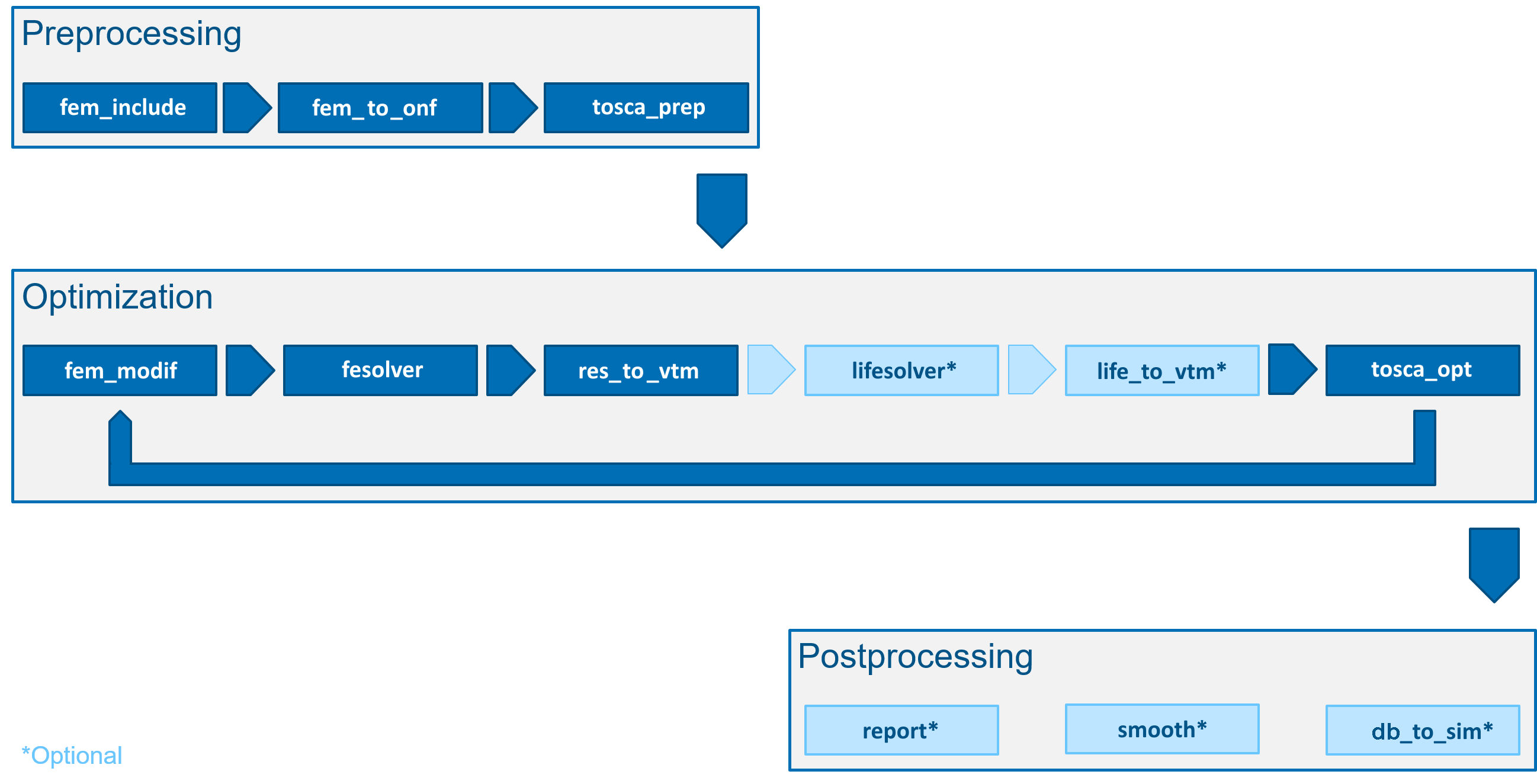
Adding user-defined scripts, called Hooks, to the Tosca Structure workflow is possible before and after every module shown in the figure below.
 |
A simple example for adding such a script is
    DRIVER
      driver.registerModuleHook( ToscaModules.TOSCA_PREP, HookTypes.PRE, EventTimes.EVER, "user_script.bat" )
    END_
More details regarding Hooks can be found here: User Script Entry Points.
Adding Files to the Working Directory
An often required functionality is to have the script files or other files copied
into the working directory. The most simple way is to use the FEM_INPUT command COPY_FILE:
FEM_INPUT
 ID_NAME   = fem_input
 FILE      = my_solver_file.ext
 COPY_FILE = file1.ext
 COPY_FILE = file2.ext
END_
Remark:
file1.ext and file2.ext must exist in the starting directory and
both files are copied into the working directory right after starting Tosca Structure.