Tosca Fluid.gui Capabilities | ||
| ||
In the optimization problem definition within the User Manual, the SIMULIA Tosca Fluid XML parameter file has been explained. In addition to the possibility to create a parameter file using a text editor and manually typing commands, the Tosca Fluid.gui (graphical user interface) can be used as depicted here:
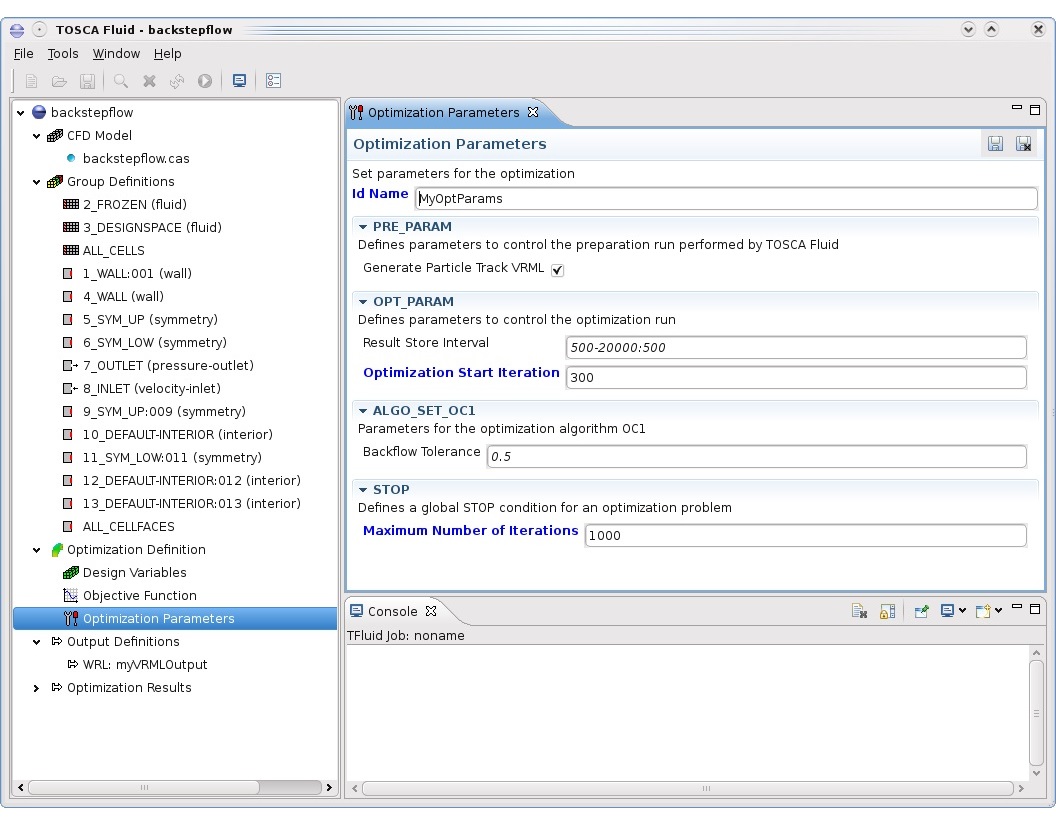
Tosca Fluid.gui provides an intuitive graphical user interface for the following tasks:
- Definition of the optimization problem: Create new parameter files and modify existing files.
- Define result extraction processes using Tosca Fluid.post based on the optimization results stored in the SIMULIA Tosca Fluid optimization database.
- Define result smoothing processes using Tosca Fluid.smooth: Create new Tosca Fluid.smooth parameter files and modify existing files.
- Start SIMULIA Tosca Fluid, Tosca Fluid.post and Tosca Fluid.smooth.
- Monitor the SIMULIA Tosca Fluid optimization process.
Note:
The applications Tosca Fluid.post
and Tosca Fluid.smooth
can only be started on the host where Tosca Fluid.gui
is running. A batch execution is available only for SIMULIA Tosca Fluid
when it is configured in a queuing system.
In the following sections, the usage of all important features in Tosca Fluid.gui are explained.
Important Note: For some operations, it is required to customize some of the Tosca Fluid.gui Preferences.