- Add another Simcode component after the
Aerodynamics Simcode component.Isight adds the component to the simulation process flow as shown in the following figure: 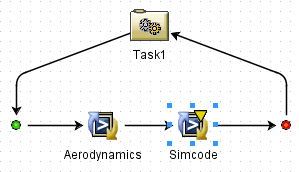
- Rename the Simcode component to
Performance. -
Double-click the
Performance Simcode component, and select the program to execute. You should select <Isight_install_directory>\<operating_system>\examples\models\simcodes\bin\<operating_system>\performance.exe
You are returned to the Simcode Component Editor, and the full path of the program is entered into the field.
-
Click Apply to save your changes to the component.
|